
Website Analytics Tools: Measuring User Behavior and Performance
Website analytics tools should help you to make better decisions as opposed to collecting more data points. This guide will teach you how to interpret user behaviors, identify points of friction, and insights data for meaningful web optimizations.
Google Analytics 4 (GA4): Understanding User Behavior Through Data
As analytics tools go, Google Analytics 4 is still step one for serious measurement. GA4 shows how users arrive, engage, and convert across devices and sessions. Unlike page views, GA4 operates on the older analytics conception of events, which works better for modern websites. Especially, websites who are concerned with user driven actions, like form submissions, button clicks, and sign-ups. At scale, GA4 will show you how traffic is distributed and what events users are engaging with, so you can identify points of friction and optimize web conversions.
The best argument for GA4 is that without a measurement layer, all insights will be guesswork. For example, I recently reviewed a SASS website. The website in question had a lot of traffic, but very few users signed up for the demo. GA4 showed that most users left the website after visiting the pricing page, meaning that there was a trust gap, not a traffic issue. This is why website analytics tools are so important. They prevent website teams from “fixing” the wrong issues.
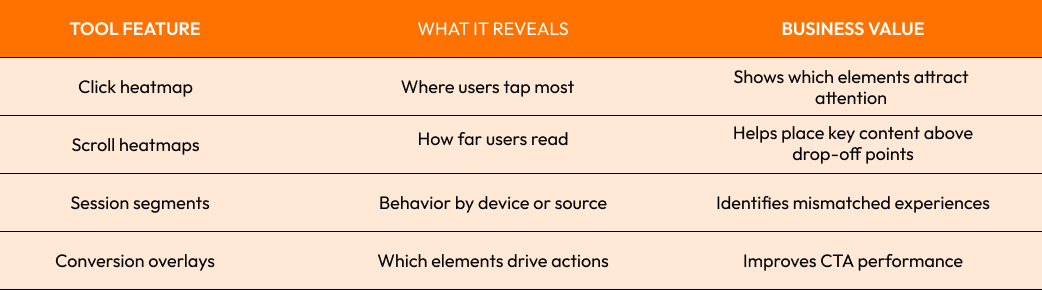
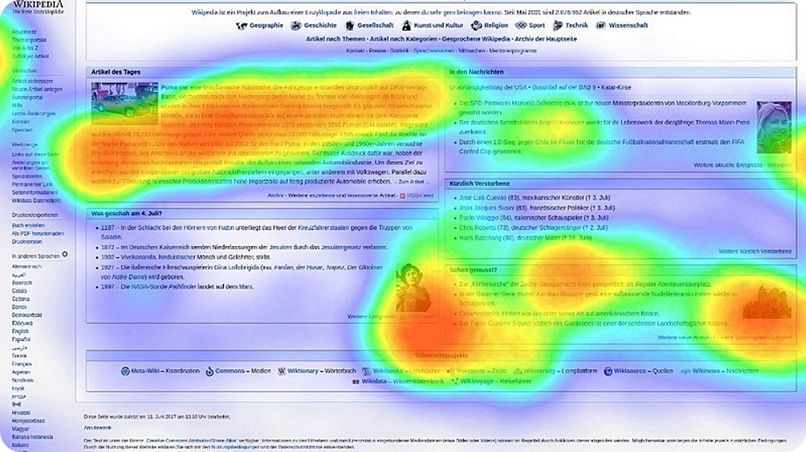
What Are Heatmaps and How to Use Them to Visualize User Interaction
Heatmaps are visual reports that show where users click, tap, scroll, and focus their attention on a page. They are one of the fastest ways to answer the question behind every design decision: are people actually noticing what we placed there? If GA4 tells you that a page is underperforming, heatmaps help explain whether the layout, CTA placement, or content hierarchy is causing the drop.
Here’s the part many teams miss: heatmaps are not decoration, they are evidence. A bold button sitting below the fold may look fine in a mockup, but if the scroll map shows only 35% of visitors ever reach it, that button is basically invisible. That is why heatmaps matter in practice; they expose the gap between intended design and real behavior, which is exactly where website optimization starts.
Session Recordings: Finding User Experience Pain Points
Session recordings allow you to see users’ browsing behaviors like you’re standing behind them, but without the ability to interrupt. You can see users rage click, hesitate, scroll repetitively, interact with a form that’s broken, and experience confusion. This is the most tangible aspect of user experience as you no longer have to interpret reports, you see the friction for yourself.
For me, session recordings are the most underrated aspect of website analytics tools because they highlight the issues that are usually flattened in a dashboard. One ecommerce example stated that the focus of the feedback for repeated abandons of the checkout was the quality of the webpage visitors, whereas the session recordings proved that the diminishing focus of the coupon field was placing the payment button beyond the viewport on mobile. That type of detail can immediately impact results in a very positive direction. It can be very helpful for teams to use session recordings coupled with Google Analytics 4 for the context.
Analyzing User Journeys and Conversion Funnels
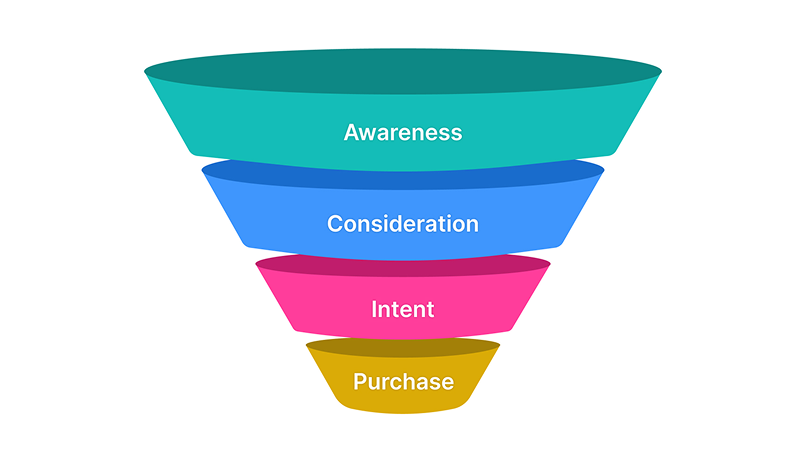
Conversion funnels diagram user steps as landing page → product page → cart → checkout. Most website failures aren't at the starting steps, but at the middle steps. Users lose interest, become distracted, and experience friction. Optimization efforts identify leak points in the funnel. We can analyze metrics to target these areas of the funnel that have the most user friction.
Data-driven decisions outperform subjective opinions. Healthy conversion funnels show how users progress along the funnel steps; if a funnel has high numbers of users at landing and product views, and significantly fewer users add to cart and purchase, the issue is not one of awareness. Digital analytics is crucial to identify drop off users by device and channel and is complemented by GA4 to give detailed views of user progression.
Best Practices for Data-Driven Website Optimization
The best funnel optimization is effective, but can feel boring because it is a cycle of the same steps over and over again. The key to this cycle is to start with fewer meaningful events as opposed to the limitless events that lose focus. The events that matter can be purchases or lead submissions, but also be small steps like clicks or scrolls, if those actions promote progress along the conversion funnel.
A great and common practice is to combine one quantitative and one qualitative measure. For example, Google Analytics 4 shows where drop-off occurs; heatmaps and session recordings show where and why users get stuck, respectively. This combo is strong because, typically, gaps between data and actions are where user experience issues are hidden.
The following are proven habits:
- Do a monthly audit of key events.
- Analyze mobile and desktop behavior separately.
- Apply only one change to a page, so it's clear what affected user behavior.
- Make changes to higher priority pages which have lots of visits and fewer conversions.
- Use report findings to influence website changes.
The best teams believe website analytics is a decision-making framework, not a reporting tool. They focus on useful metrics instead of pointless metrics. This mindset helps create a strong website analytics framework and focuses on growth, instead of slapping together a website analytics dashboard in a reporting framework and letting it collect dust.
Turning Data Into Action
If you want a high-performing website, stop focusing on aesthetics. Instead focus on what users actually do. Combining Google Analytics 4, heatmaps, session recordings, and funnels shows you behavior and friction and where untapped potential lies. Analytics tools of this kind help locate points of friction in a user's journey that cost you revenue.
If you want a more thorough audit or a new measurement plan, visit our contact page and start the conversation today.
Start Your Expert Consultation
Please write your name and contact information below. We will respond as soon as possible.