Top Project Management Apps and Tools Teams Will Love in 2026
When it comes to managing projects efficiently, the right project management apps are game-changers. These tools help keep everything organized, making sure tasks get done on time without chaos. Whether you're managing a small team or running a large project, these apps make a big difference in how smoothly things run.
Looking ahead to 2026, project management apps are only getting better. They now come packed with features that make collaboration and communication easier than ever. With tools that track project progress, set deadlines, and keep everyone on the same page, your team will be more connected and productive than ever before.
Boost Team Communication in 2026 with These Top Tools for Effective Collaboration
Effective team communication is at the heart of every successful project. In 2026, tools like Slack, Microsoft Teams, and Asana make it easier than ever to stay connected. These apps allow teams to chat, share updates, and provide feedback in real-time, ensuring no message gets lost in the shuffle.
Gone are the days of juggling multiple apps. With all your team communication needs in one place, managing projects has never been smoother. These tools offer everything from chat rooms to video calls and file-sharing, making it simple for teams to collaborate efficiently and stay aligned on every project detail.
Key Features of Communication Tools:
- Real-time messaging: Instant chat and group conversations for quick updates.
- Video conferencing: High-quality video calls for team meetings and discussions.
- File sharing: Easy file uploads and document collaboration for smooth workflows.
- Task management integration: Linking messages with tasks to ensure follow-ups and deadlines.
These features work together seamlessly, keeping teams engaged and projects on track. By centralizing all your team communication in one tool, you ensure your team can stay focused and productive without unnecessary distractions. The ability to manage tasks, feedback, and communication in a single place makes project management apps essential for easy communication and smooth collaboration.

Stay on Track: Best Task Management Tools to Handle Deadlines in 2026
Effective task management is crucial for keeping projects on track. With tools like Trello, ClickUp, and Monday.com, you can organize tasks effortlessly. These apps offer simple features like task assignments, deadlines, and priority settings, helping ensure that nothing gets overlooked, and everyone knows exactly what they need to do next.
When it comes to task management, visibility is key. These tools allow project managers to assign tasks, track project progress, and make real-time updates. This ensures that everyone is aligned on the project’s status and deadlines, making it easier to adjust workloads and avoid any delays. It’s all about staying in sync.
By using the right task management tools, you can make sure that your team is always on the same page. These platforms keep everything in one place, from deadlines to priority tasks. This centralization helps teams stay focused and ensures that progress continues without hiccups, no matter how complex the project.
How AI and Automation Are Revolutionizing Project Workflows in 2026
AI and automation are game-changers when it comes to streamlining project workflows. In 2026, these project management apps make it easier than ever to automate repetitive tasks, saving you both time and energy. Imagine no longer having to manually assign tasks or update timelines, automation handles it all, letting teams focus on what truly matters.
With the power of AI and automation, tools now take care of the tedious work. For example, they can automatically assign tasks based on team availability or generate progress reports without any manual input. These features not only save time but also ensure consistency and efficiency across all projects, making your team more productive than ever.
Cloud Based Collaboration Tools You Can’t Miss for Project Management
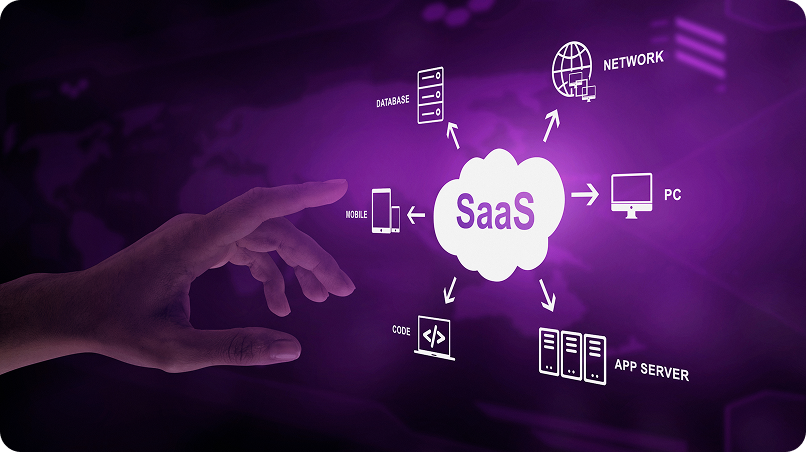
In today's hybrid work environment, cloud-based solutions are essential for remote and in-office teams. Cloud based collaboration tools like Google Workspace, Notion, and Zoho Projects allow teams to collaborate on documents, track tasks, and share feedback in real-time, regardless of their location.
With cloud based collaboration tools, your team can access project information anywhere, anytime. This flexibility ensures that your projects continue to move forward, whether your team members are in the office, working remotely, or on the go.
Track Progress Like a Pro: Tools for Better Project Insights in 2026
Track progress effectively is crucial for ensuring projects stay on course. Tools like Jira, Basecamp, and Wrike provide powerful tracking features that give managers a comprehensive view of a project’s status. These project management apps allow you to check milestones, deadlines, and more, keeping everything organized and ensuring things are moving in the right direction. For a deeper dive into project tracking capabilities, explore Wrike's project tracking features to see how they can enhance your team's workflow.
With these tools, you can track progress much more easily. You can spot potential roadblocks early and make necessary adjustments to keep the project on track. By using visual elements like charts and graphs, these tools ensure that everyone stays aligned with the goals, helping your team stay productive and focused throughout the project.
Key Features to Track Progress:
- Track milestones: Keep an eye on important project checkpoints to ensure things stay on schedule and within scope.
- Monitor deadlines: Stay on top of key deadlines and adjust tasks to prevent delays from creeping into your project.
- Visual progress: Use charts and graphs to easily visualize progress and help your team stay motivated and informed.
- Identify roadblocks early: Quickly spot issues that may cause delays, allowing your team to address them before they escalate.
- Real-time updates: Receive instant progress updates, so you can always make informed decisions and keep things running smoothly.
By leveraging these features, you can track progress efficiently and ensure the project moves forward without any hiccups.

Keep Your Team Safe: Secure Collaboration Tools for Protecting Your Project Data
In 2026, secure collaboration tools are more important than ever. When choosing the right project management apps for your team, it’s essential to pick platforms that prioritize data encryption, secure file sharing, and user access control. Apps like Microsoft Teams, Dropbox Business, and Box provide top-tier security features that safeguard your project data.
Whether you're managing confidential client data or sensitive financial information, secure collaboration tools offer peace of mind knowing your information is protected from unauthorized access. These platforms help ensure your team can collaborate freely without worrying about data breaches. To dive deeper into Dropbox Business's security features, explore how they can enhance your team’s protection.
Conclusion
Choosing the right project management apps can truly elevate your team’s performance. Whether it’s management tools that keep deadlines in check or secure collaboration apps that protect sensitive data, these tools are key to boosting productivity and ensuring smooth project delivery. With the right tech, success is within reach in 2026.
By embracing team communication, management, and secure collaboration tools, your team will be set to tackle any challenge. These innovative apps not only streamline workflows but also enhance collaboration, helping your team stay focused and efficient. Now is the time to invest in the future of project management and unlock your team’s potential.
For more information on how Crescentic Digital can help optimize your team's project management, visit our eCommerce development services . If you're ready to get started, don't hesitate to reach out through our contact page.
Start Your Expert Consultation
Please write your name and contact information below. We will respond as soon as possible.